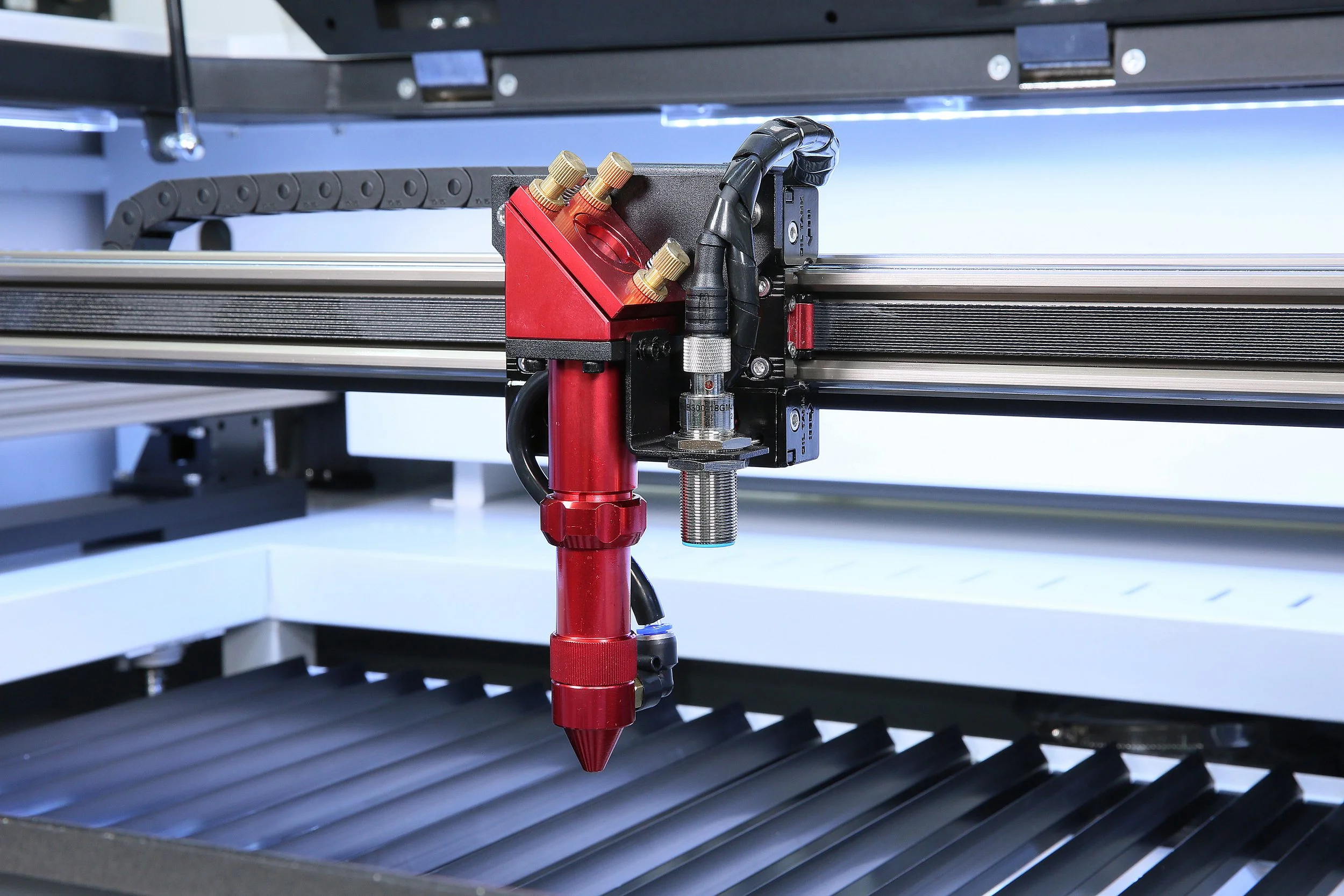

The most affordable true CO2 laser cutter in the UK is the 40W desktop machine commonly known as the K40. Generic versions often sell for under £500, and people in the laser community regularly mention imported units at roughly £300 to £400. But the lowest price on the screen isn’t always the lowest cost once you’ve fixed, upgraded, and learned to live with a machine. Here is what you actually get, what to watch for, and when a slightly higher-priced option makes more sense.
Why a K40 Is the Budget Benchmark
The K40 earns its reputation for one reason: it’s a real CO2 laser at a price near that of a diode laser. That distinction matters. Diode lasers in the same price range generally can’t cut clear or lightly coloured acrylic because of the wavelength of their beam. A CO2 laser can. It also handles wood, leather, card, and glass engraving, so for around £300 to £400 you get a much wider material range than a comparable diode machine. For someone who wants to learn the craft, make hobby projects or test product ideas before committing real money, that’s a strong case.
The Catch: There is a “Tinker Tax”
Customer feedback on the stock, unbranded K40 is consistent. You are effectively buying a box of parts, and you should expect to spend time and some money making it work properly.
- Manual mirror alignment. The beam path usually needs aligning before you get consistent cuts.
- Safety checks. Grounding and wiring should be checked rather than assumed.
- Upgrades almost everyone makes. An air-assist nozzle helps prevent scorching on wood, and a better exhaust fan clears smoke more effectively.
- Limited software. Basic unbranded K40s often ship with primitive, proprietary control software such as LaserDRW. To use LightBurn, the industry-standard program, you usually need either a modern variant of the machine or a replacement controller board.
- A small, awkward bed. The standard working area is about 300 × 200 mm, and the stock clamp bed eats into usable height. Many owners replace it with a honeycomb bed early on.
None of these problems is a dealbreaker for someone who enjoys tinkering. For someone who wants to start producing orders next week, they can be a source of frustration.
Counting the Real Cost
When you compare prices, add up what the cheapest machine needs before it’s usable:
| Extra | Why it’s often needed |
| Air-assist pump and nozzle | Cleaner cuts, less scorching |
| Improved extraction fan and ducting | Smoke and fumes need to go outside |
| Honeycomb bed | More usable height, better support |
| Controller board upgrade | Needed for LightBurn on older designs |
| Your own time | Alignment, wiring checks, troubleshooting |
A £350 machine plus £150 to £250 of upgrades and a few weekends of work stops looking so cheap, particularly if you are building a business and your time has a value.
A Middle Route: The OMTech K40+
If you want the K40’s price class without the full project-car experience, the OMTech 40W K40+ desktop CO2 laser cutter is worth considering. It’s listed at £649, so it costs more than an imported generic unit, and that is worth being clear about. What the extra money buys is a machine sold and supported by a company that stocks it in the UK, set up to work with modern software and designed to be usable without a long list of modifications.
It keeps the familiar K40 format: a 40W CO2 tube and a 300 × 200 mm engraving area. That means it suits the same projects, such as coasters, small acrylic signs, leather patches, personalised gifts and craft products, but with a more straightforward start. Check the product page for the current specifications, including the focusing method and what’s included, so you know exactly what you’re buying. As with any machine in this class, you will still focus manually and need to plan for ventilation.
Who Should Buy a Budget K40-Class Machine?
A good fit if you:
- Want an inexpensive way to learn laser cutting and engraving
- Enjoy tweaking and upgrading equipment
- Make hobby projects or low-volume custom items
- Need to cut clear acrylic without a bigger investment
Not the best fit if you:
- Plan a high-volume commercial operation where downtime equals lost income
- Need to cut larger sheets or work on large signs
- Want to switch on and run production with minimal setup
For a high-volume commercial business, experienced users consistently recommend skipping the K40 class entirely and looking at 50W-plus machines with larger beds and more robust construction. In OMTech’s UK range, examples include the Turbo-535 at £1,599 and the Polar Lite at £1,899, which add more power, a larger working area and, in the Polar Lite’s case, a camera and integrated water cooling.
A Note on Safety
Whichever machine you buy, treat safety as part of the price. CO2 beams are invisible and can cause eye and skin injuries, so keep the lid closed during operation and use appropriate protective eyewear if you ever work with it open. Never leave a running laser unattended, since wood, card, and acrylic can catch fire, and keep a suitable extinguisher nearby. Some materials, such as PVC and certain coated plastics, release harmful fumes and should never be cut.
A Quick Buying Checklist
- Decide what you’ll cut. Clear acrylic, wood, and leather are all fine on a CO2 machine. Bare metal is not.
- Check the software. If you want LightBurn, confirm compatibility before ordering.
- Budget for ventilation. You’ll need to vent fumes outdoors or use a filtration setup.
- Confirm local support. A UK-stocked machine with UK support can save weeks if a part fails.
- Know the bed size. If 300 × 200 mm is too small for your first products, don’t buy it.
- Compare total cost. Include upgrades, consumables, and shipping, not just the sticker price.
The Bottom Line
The cheapest CO2 laser cutter in the UK is the generic K40, and it remains a capable way to learn the craft if you’re comfortable with a project. If you want to pay a little more for a machine that’s ready to use and supported locally, the OMTech K40+ at £649 is a sensible step up. And if you’re building a business where speed and reliability matter, treat the K40 class as a learning tool and plan to move to a larger machine as soon as your orders justify it.